
Android devices have become powerful gateways to a universe of streaming content. For those seeking a premium, cable-like experience through IPTV, the right software is crucial. Enter STBEmu, a sophisticated application that transforms your Android device, Fire TV Stick, or TV box into a powerful IPTV portal, mimicking high-end set-top boxes. But the app itself is only half the equation; the quality, stability, and breadth of your content depend entirely on the premium IPTV restream service you choose to power it. This guide will walk you through maximizing your setup with STBEmu, while highlighting why a professional IPTV restream provider like Lukkystreams is the key to a seamless, high-definition viewing experience.
What is STBEmu and Why is it a Game-Changer for Android TV?
STBEmu (Set-Top Box Emulator) is a powerful IPTV application for Android that emulates the software and user interface of popular MAG box devices. This clever MAG box emulation allows users to access IPTV services that are typically designed for dedicated hardware, right on their existing Android platforms. It effectively bridges the gap, offering the robust functionality of a dedicated device without the extra cost. For enthusiasts of a streamlined IPTV streaming experience, STBEmu presents a familiar portal layout, complete with electronic program guides (EPG), VOD libraries, and channel categorization.
However, it’s vital to understand that STBEmu is a portal—a vehicle. It does not provide any content itself. Your access to thousands of live channels, movies, and series hinges on your subscription to a reliable IPTV service provider. This is where the distinction between a basic stream and a premium IPTV experience becomes clear. Pairing STBEmu with an unstable, low-quality service leads to frustration. Pairing it with a professional IPTV restream provider like Lukkystreams unlocks its full potential for a buffer-free IPTV journey.
Installing and Configuring STBEmu for Optimal Performance
Sideloading on Fire Stick & Android TV
Since STBEmu isn’t always available on official app stores like the Amazon App Store, it often requires a simple process called sideloading. Here’s a quick, safe guide:
- Enable Unknown Sources: On your Fire Stick, navigate to Settings > My Fire TV > Developer Options and turn on “Apps from Unknown Sources.”
- Install a Downloader App: Search for and install the “Downloader” app from the Amazon App Store.
- Sideload STBEmu: Open Downloader and enter the URL for a trusted APK source (always ensure you’re downloading from a reputable site). The app will download and install automatically.
Essential Configuration with Your Provider’s Details
Once installed, configuration is straightforward but critical:
- Open STBEmu and navigate to its settings.
- Locate the Profile or Portal settings section.
- Here, you will input the unique portal URL and MAC address provided by your IPTV restream service.
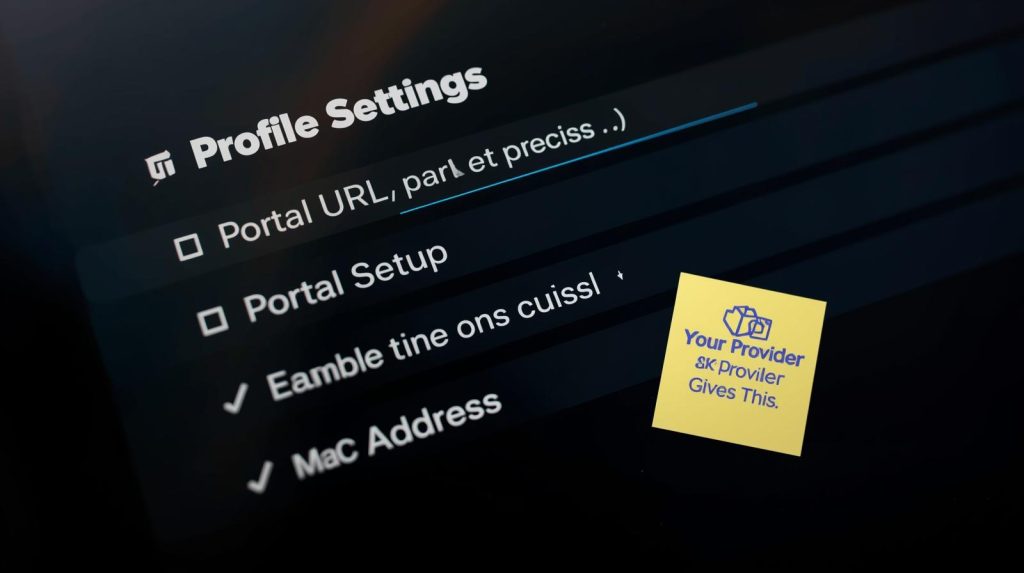
This step is where your relationship with your provider begins. A professional premium IPTV service will supply you with accurate, stable portal information and clear setup guides. At Lukkystreams, we ensure our clients receive precise configuration details for a hassle-free IPTV setup on Android, minimizing technical headaches and maximizing immediate enjoyment.
STBEmu Pro vs. Free: Is the Premium Upgrade Worth It?
The choice between the free version of STBEmu and the paid STBEmu Pro version boils down to your desire for a polished experience. The free version is functional but includes advertisements. STBEmu Pro, the premium IPTV app, removes all ads and often includes additional stability updates and features, contributing to a smoother, more professional Android TV experience. For users committed to a reliable IPTV subscription, investing in the Pro version eliminates unnecessary interruptions, creating a cleaner interface that truly resembles a premium set-top box.
Key Features and Customization for a Tailored Experience
A significant advantage of using STBEmu for your Android IPTV streaming is its depth of customization, which is especially potent when fed by a high-quality service.
- Multiple Profile Support: Configure separate portals for different services or family members—a feature perfectly complemented by Lukkystreams’ flexible plans.
- Advanced Playback Settings: Adjust aspect ratio, audio track, and enable subtitles to match your content and display.
- User Interface Tweaks: Customize the EPG, change menu visibility times, and tailor the navigation to your liking.
- Parental Controls: Manage access to ensure a family-friendly viewing environment.
These customization options empower you to build a personal entertainment hub. When combined with the vast, organized channel lists and consistent HD IPTV streams from a professional IPTV provider, your Android device becomes a formidable centerpiece for home entertainment.
Safety, Legality, and the Importance of a Secure VPN
A common question surrounds the safety and legality of IPTV apps like STBEmu. The application itself is a legal tool. The legality of your viewing depends on the copyright permissions held by the IPTV service provider you subscribe to. It is crucial to choose a provider that operates within legal frameworks.
Furthermore, protecting your privacy online is paramount. We strongly recommend using a reputable VPN for IPTV streaming. A VPN encrypts your internet traffic, shielding your online activity and adding a crucial layer of security. This is a best practice for all internet streaming, ensuring peace of mind while you enjoy your premium IPTV channels.
Why Your Choice of IPTV Service Makes All the Difference
You can have the best app, the fastest device, and the optimal setup, but with a subpar service, your IPTV streaming experience will falter. Buffering, outdated channels, poor EPG data, and unreliable connections are symptoms of an inferior provider. This is the core of the IPTV restream advantage.
A professional IPTV restream provider like Lukkystreams doesn’t just offer a playlist; we offer a reliable IPTV subscription built on robust infrastructure. Our premium IPTV restream service focuses on:
- Stability & Uptime: Enterprise-grade servers ensure a buffer-free IPTV experience.
- Content Quality: Delivering consistent HD IPTV streams and 4K IPTV content where available.
- Channel Accuracy & EPG: Well-organized, updated channel lists with accurate electronic program guides.
- VOD Libraries: Extensive, on-demand movie and series collections.
- Customer Support: Professional assistance for setup and troubleshooting.
This professional approach transforms STBEmu from a simple app into a window to a world of flawless entertainment. It’s the difference between simply watching streams and enjoying a genuine premium TV experience.
Ready for a Truly Premium Android IPTV Experience?
Unlocking the full potential of STBEmu requires the right foundation. Your Android device is capable of delivering an exceptional cable TV alternative, but it needs the robust, high-quality stream that only a dedicated IPTV restream provider can deliver.
Stop dealing with buffering, unreliable sources, and incomplete channel lists. Elevate your Android TV experience with a service built for performance and reliability.
Choose Lukkystreams as your trusted premium IPTV partner.
We provide the powerful, stable streams that make applications like STBEmu shine. Discover the difference of a truly professional service designed for discerning viewers who will not settle for less than the best in IPTV streaming.
Get Started Today:
- 👉 Explore Our Premium Plans: Find the perfect package for your needs
- 👉 Contact Us for a Custom Quote: Have specific needs? Reach out via our contact form.
- 👉 Chat Directly on WhatsApp: Get instant answers
Invest in your entertainment. Upgrade to Lukkystreams and experience buffer-free IPTV on your Android device like never before.
FAQS – Guide to STBEmu
Is using the STBEmu app legal and safe?
The STBEmu app itself is a legal software tool. Its safety and the legality of your streaming depend entirely on the IPTV service provider you use with it. To ensure a 100% legal and secure experience, it is crucial to pair it with a licensed and professional IPTV restream provider like Lukkystreams, which operates with proper content permissions. We also always recommend using a VPN for an added layer of online privacy.
Do I need a separate IPTV service if I have STBEmu installed?
Yes, absolutely. STBEmu is an empty portal or player; it requires a subscription to an IPTV service to deliver any live channels or video-on-demand content. Think of it as a high-quality TV that needs a cable subscription. For a seamless, buffer-free IPTV experience with extensive channel lists and reliable EPG data, you need a premium IPTV restream service like Lukkystreams to power your STBEmu application.
Why does my IPTV stream buffer even with a fast internet connection?
Buffering is most often caused by the source IPTV server being overloaded, underpowered, or geographically distant from you—issues common with low-cost, unmanaged services. A professional IPTV restream provider like Lukkystreams invests in robust, high-bandwidth server infrastructure and optimized networks specifically designed to deliver a stable, buffer-free IPTV stream, minimizing these interruptions regardless of your app or device.